

分类
Solutions

AI Agent Autopilot for Customer Support: Use Cases and ROI

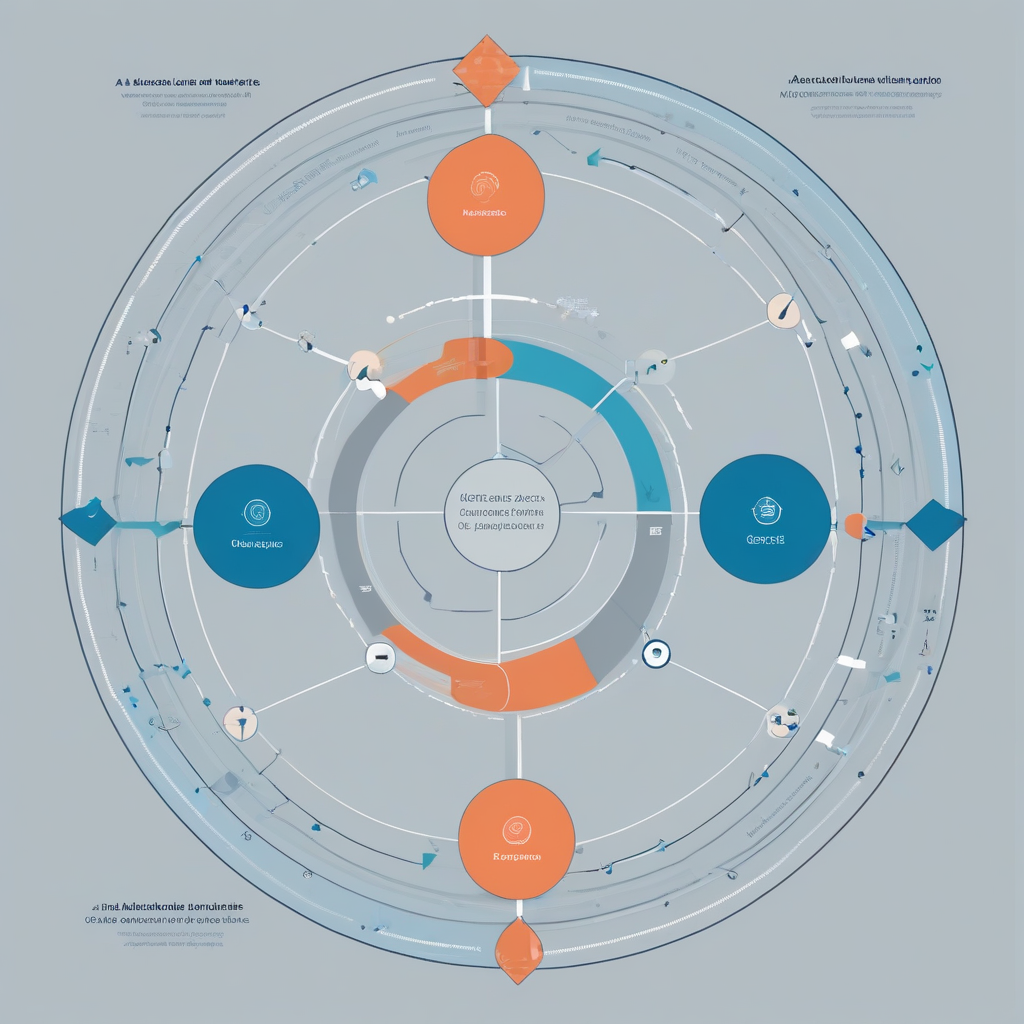
Customer support agent working with AI agent autopilot dashboard

What Is an AI Agent Autopilot for Customer Support?

An AI Agent Autopilot is an autonomous software agent that handles customer support tasks end-to-end—without requiring human intervention for routine issues. Unlike traditional chatbots that follow rigid decision trees, an AI agent autopilot uses advanced reasoning, natural language understanding, and integration with backend systems to triage tickets, resolve common queries, escalate complex issues, and operate 24/7. This technology represents a significant leap from rule-based bots, enabling truly autonomous customer support.

Top Use Cases for AI Agent Autopilot in Customer Support

  1. Automated Ticket Triage & Routing – The autopilot reads incoming tickets, identifies intent, urgency, and category, then assigns them to the right team or resolves them directly.
  2. Common Query Resolution – Handles password resets, order status, billing inquiries, and FAQs with near-human accuracy.
  3. Intelligent Escalation – When the agent cannot resolve an issue, it compiles a summary of the conversation and routes to a human agent with context.
  4. Proactive Support – Detects user behavior signals (e.g., abandoned cart, repeated login failures) and initiates helpful conversations.
  5. Multi-Channel Support – Operates consistently across email, chat, social media, and voice, maintaining context across channels.

ROI Analysis: Cost Savings, Efficiency, and CSAT Improvement

Companies deploying AI agent autopilots report:

  • 40-50% reduction in cost per ticket.
  • 60-80% faster first-response time (now under 10 seconds).
  • 30-40% improvement in Customer Satisfaction Score (CSAT).
  • 80-90% of routine queries resolved without human involvement.

To measure ROI, track: cost per ticket, average handle time, first-contact resolution, human agent workload reduction, and CSAT scores before and after implementation.

Comparison: AI Agent Autopilot vs. Traditional Chatbots vs. Human Agents

Feature AI Agent Autopilot Traditional Chatbot Human Agent
Autonomy High Low (scripted) N/A
24/7 Availability Yes Yes No
Cost per Interaction ~$0.10 ~$0.30 ~$5.00
Complex Issue Handling Partial Poor Excellent
Scalability Instant Good Requires hiring
Context Retention Yes Limited Natural

How to Implement an AI Agent Autopilot in Your Support Stack

  1. Integrate with Your CRM/Ticketing System – Ensure the autopilot can read and write to your support platform (Zendesk, Salesforce, Intercom, etc.).
  2. Configure Knowledge Base – Feed the agent your help articles, product guides, and historical tickets so it learns from past resolutions.
  3. Set Escalation Rules – Define thresholds for when a human should take over (e.g., sentiment score < 0.3, topic = refund request > $500).
  4. Test & Optimize – Run A/B tests between autopilot-only and hybrid modes; monitor accuracy and handover rates.
  5. Monitor & Retrain – Regularly review logs to improve the agent’s decision models, adding new intents as your product evolves.

Frequently Asked Questions

Q: Is an AI agent autopilot secure for handling sensitive customer data?
A: Yes, when properly configured. The agent can be deployed on-premises or in a SOC 2-compliant cloud, encrypting data at rest and in transit. Role-based access controls and audit logs ensure compliance.

Q: How do I customize the autopilot’s tone and brand voice?
A: Most platforms allow you to define response templates, language style, and even train the model on past support conversations to match your brand voice.

Q: Can the autopilot handle multiple languages?
A: Yes, modern AI agents support dozens of languages and can auto-detect the user’s language from the first message.

Q: How long does implementation take?
A: Typical deployment takes 2–4 weeks, including integration, knowledge base ingestion, and a phased rollout of support channels.

Q: What reporting and analytics does the autopilot provide?
A: Dashboards show ticket volume, resolution rate, average handle time, CSAT, escalation rate, and cost savings in real time.

Conclusion

An AI agent autopilot for customer support delivers measurable ROI through cost savings, faster resolution, and higher customer satisfaction. By automating routine interactions and providing intelligent escalation, it frees human agents to focus on complex, high-value issues. Ready to see it in action? Try AutoPilot for free or request a demo.

Disclaimer: All ROI figures are based on aggregated industry benchmarks and may vary depending on implementation scope and data quality.
分类
Guides

How Does an Agent AutoPilot Work? Architecture and Decision-Making Explained

Diagram of an AI agent AutoPilot decision-making loop with observe, orient, decide, act phases and memory component.

What Is an Agent AutoPilot?

An agent AutoPilot is an autonomous AI system that continuously perceives its environment, reasons about goals, and executes actions—all without requiring human intervention at each step. Think of it as a smart assistant that not only understands your instructions but also figures out how to complete tasks on its own, adapting as conditions change.

This guide breaks down the internal architecture and decision-making loop in plain language, using a beginner-friendly framework. By the end, you’ll understand how a typical agent AutoPilot works under the hood.

Core Architecture Components

Every agent AutoPilot has four fundamental building blocks:

  • Perception Module: Captures data from external sources (APIs, databases, user input) and internal state. It handles entity extraction, intent classification, and context enrichment.
  • Reasoning Engine: The decision-making core. It evaluates possible actions based on goals, rules, and learned knowledge. This can be rule-based, machine learning, or a hybrid.
  • Action Executor: Carries out selected actions—calling APIs, updating records, sending notifications, or controlling hardware. It also reports success or failure.
  • Memory Store: Retains information across sessions. Short-term memory holds immediate context; long-term memory stores patterns, preferences, and historical outcomes.

The Decision-Making Loop

The agent AutoPilot operates in a continuous Observe-Orient-Decide-Act (OODA) loop:

  1. Observe: Gather raw data through the perception module.
  2. Orient: Interpret data, update context, and identify relevant patterns.
  3. Decide: Select the best action using the reasoning engine.
  4. Act: Execute the action and collect feedback.
  5. Learn: Incorporate outcomes into memory to improve future decisions.

This loop repeats autonomously, with the agent adjusting its behavior based on new inputs and feedback.

How Perception Works

Perception is the agent’s window to the world. It typically involves:

  • API Integration: Pull data from CRMs, ERPs, or external services.
  • Natural Language Understanding: Parse user commands or chat messages.
  • Sensor Input: For IoT or physical environments (e.g., temperature readings).
  • Entity Extraction: Identify key objects, dates, numbers, and relationships.

The agent then enriches this raw input with context from its memory to form a complete picture of the current situation.

Reasoning and Planning

The reasoning engine decides what to do. Common approaches include:

  • Rule-based: If-then logic for deterministic scenarios (e.g., if inventory < threshold, reorder).
  • Machine Learning: Predict outcomes and select actions based on trained models.
  • Chain-of-Thought: Decompose complex goals into sub-steps, reasoning sequentially.

For example, to “plan a marketing campaign,” the agent might break it into research, audience segmentation, content creation, and scheduling.

Action Execution and Feedback

Once a decision is made, the action executor springs into motion. It may:

  • Call a REST API to update a database.
  • Send an email via SMTP.
  • Control a robotic arm through a PLC.
  • Write a file to cloud storage.

After execution, the agent checks for errors, measures success metrics, and logs the outcome. If an action fails, it can retry with a modified approach based on its reasoning.

Memory and State Management

Memory gives the agent continuity. Two key types:

  • Short-term memory: Holds the current conversation or task session. Cleared after completion.
  • Long-term memory: Stores user preferences, past decisions, and learned patterns. Survives restarts.

State management ensures the agent remembers where it left off—critical for multi-step workflows.

Agent AutoPilot vs. Traditional Automation

Feature Traditional Automation Agent AutoPilot
Decision-making Fixed rules, no adaptation Dynamic, learns from outcomes
Error handling Stops on failure Retries, adapts, or escalates
Integration Tightly coupled Flexible via APIs
Scalability Requires manual redesign Self-optimizing
Human oversight Continuous Supervisory only

Agent AutoPilot shines in complex, variable environments where traditional scripts fall short.

Getting Started with Agent AutoPilot

Follow these steps to build your first agent AutoPilot:

  1. Define a clear goal (e.g., “automate customer ticket triage”).
  2. Configure perception sources (connect to ticketing system API).
  3. Set up reasoning rules (e.g., priority = f(urgency, customer tier)).
  4. Choose action endpoints (assign, escalate, or reply).
  5. Test with real data and review logs.
  6. Iterate – add memory, more rules, or ML models.

Check our Guides section for deeper dives into implementation.

FAQ

Q: What hardware does an agent AutoPilot need?
A: It runs on standard cloud servers or on-premises containers. No special hardware required for software agents.

Q: Can it integrate with my existing CRM?
A: Yes, most agent Autopilots offer REST API connectors. Custom integration may be needed for legacy systems.

Q: How secure is an agent AutoPilot?
A: Enterprise deployments include role-based access, audit logs, and encryption. Follow our security best practices guide.

Q: Do I need to know coding?
A: Beginner frameworks offer low-code/no-code interfaces. Advanced customization requires scripting.

Q: How does the agent learn over time?
A: It stores outcomes in memory and can be retrained with new data. Some frameworks support reinforcement learning.

分类
Guides

What Is Ai Agent AutoPilot? A Beginner’s Guide to Autonomous Agent Platforms

Abstract digital brain with glowing nodes and data streams representing autonomous AI agents.

What Is Ai Agent AutoPilot?

Ai Agent AutoPilot refers to a new generation of AI-powered platforms that enable enterprises to deploy autonomous agents capable of executing complex workflows with minimal human intervention. Unlike traditional automation tools that follow rigid rules, an Ai Agent AutoPilot platform uses large language models, reinforcement learning, and multi-agent orchestration to make context-aware decisions, adapt to changing conditions, and continuously improve performance.

Think of it as a digital workforce that can plan, execute, and self-correct tasks across your business systems—from customer support and IT operations to supply chain management and data analysis.

How Ai Agent AutoPilot Differs from Traditional Automation

Traditional automation (e.g., RPA, workflow engines) executes predefined steps based on if-then logic. If a scenario falls outside the rules, the process breaks and requires human intervention. In contrast:

  • Rule-based automation: Fixed scripts, deterministic, brittle when inputs vary.
  • Ai Agent AutoPilot: Agents use reasoning to interpret goals, break them into sub-tasks, select tools, and adapt based on real-time feedback.
Feature Traditional Automation Ai Agent AutoPilot
Decision logic Predefined rules Context-aware AI models
Adaptability Low High (learns from data)
Exception handling Requires human Self-correcting
Scalability Manual scaling Auto-scaling agents

Core Capabilities of an Ai Agent AutoPilot Platform

A mature platform like AutoPilot offers:

  1. Autonomous Decision-Making – Agents determine the best course of action using LLMs and reinforcement learning.
  2. Multi-Agent Orchestration – Multiple agents collaborate, delegate tasks, and share context.
  3. Seamless Integration – Connect with existing APIs, databases, and SaaS tools via pre-built connectors.
  4. Observability & Monitoring – Real-time dashboards, logs, and alerts to track agent behavior and performance.
  5. Continuous Learning – Agents refine strategies over time using feedback loops and fine-tuning.

Key Components of an Autonomous Agent Platform

Understanding the building blocks helps you evaluate platforms:

  • Agent Engine – The core that runs each agent’s reasoning loop.
  • Orchestrator – Manages agent communication, task distribution, and conflict resolution.
  • Knowledge Base – Stores domain-specific data, policies, and past experiences.
  • Tool Library – Pre-built integrations (e.g., CRM, ERP, email) that agents can invoke.
  • Observability Layer – Tracks metrics, logs, and traces for debugging and optimization.

Getting Started with Ai Agent AutoPilot

Follow these steps to begin your autonomous agent journey:

  1. Identify a Suitable Use Case – Start with a contained, high-volume task like ticket triaging or invoice processing.
  2. Choose a Platform – Evaluate options based on integration depth, ease of use, and support for multi-agent architectures.
  3. Define Goals and Constraints – Set clear success metrics, guardrails, and escalation paths.
  4. Deploy and Monitor – Run a pilot with human oversight, then gradually increase autonomy.
  5. Iterate and Scale – Use performance data to refine agent prompts, expand to new workflows, and grow agent teams.

Frequently Asked Questions

Q: What is the difference between an AI agent and an Ai Agent AutoPilot platform?
An AI agent is a single autonomous unit. An Ai Agent AutoPilot platform provides the infrastructure to deploy, orchestrate, and manage multiple agents at scale.

Q: Do I need a data science team to use Ai Agent AutoPilot?
Many modern platforms offer low-code/no-code interfaces, but having a data science team helps fine-tune models and integrate complex business logic.

Q: How long does it take to deploy an autonomous agent?
With a platform like AutoPilot, you can deploy a basic agent in days. Full enterprise rollout typically takes weeks to months depending on complexity.

Q: Is it safe to let AI agents operate autonomously?
Yes, when proper guardrails, human-in-the-loop escalation, and audit trails are in place. Start with supervised autonomy and gradually increase permission levels.

Q: What industries benefit most from autonomous agent platforms?
Finance, healthcare, logistics, customer service, and IT operations see the highest ROI due to repetitive, high-volume processes.

分类
Uncategorized

Top AI Agent Monitoring Tools for Enterprise Operations

data center operations room with monitors showing AI agent monitoring dashboards

Quick Summary

AI agent monitoring tools track agent behavior, performance, and errors in real time. Top solutions include Datadog, New Relic, Prometheus, Grafana, and AutoPilot’s built-in observability suite. This article compares these tools and provides a framework for selecting the right one for your enterprise deployment.

What Are AI Agent Monitoring Tools?

AI agent monitoring tools are software platforms designed to observe, measure, and analyze the behavior of autonomous AI agents in production. Unlike traditional application monitoring, agent monitoring must capture agent-specific signals such as decision traces, task completion rates, error cascades, and inter-agent communication latency. These tools provide dashboards, alerting, and logging to ensure agents operate reliably and efficiently.

Key Monitoring Capabilities for Enterprise Agents

Enterprise-grade AI agent monitoring should include the following capabilities:

  • Distributed Tracing: Trace individual agent decision paths across microservices and external APIs.
  • Metrics Dashboards: Visualize agent performance metrics like response time, throughput, and error rate.
  • Alerting: Proactive notifications when agents deviate from expected behavior (e.g., stuck in loops, high latency).
  • Log Aggregation: Centralized logs for debugging and audit compliance.
  • Integration with Agent Frameworks: Pre-built integrations with popular frameworks like LangChain, AutoGPT, or custom agent orchestrators.

Comparison of Top AI Agent Monitoring Tools

Tool Key Features Pricing Model Best For
Datadog Distributed tracing, APM, custom dashboards, AI-based anomaly detection Pay-as-you-go per host Large enterprises with diverse tech stacks
New Relic Full-stack observability, AI-powered insights, code-level tracing Usage-based Teams needing deep application performance monitoring
Prometheus + Grafana Open-source metric collection, powerful dashboards, alerting Free (self-hosted), Grafana Cloud paid plans DevOps teams with Kubernetes deployments
Elastic APM Real-time tracing, log correlation, machine learning Free tier available, paid for larger data Organizations already using Elastic stack
AutoPilot Observability Native agent monitoring, decision-loop tracing, built-in alerts Included with AutoPilot platform AutoPilot users seeking seamless integration

How to Choose the Right Monitoring Tool

When selecting an AI agent monitoring tool, consider the following criteria:

  1. Scale: How many agents and agent instances do you run? Some tools are better suited for high-volume deployments.
  2. Technology Stack: Does the tool integrate with your existing infrastructure (cloud, on-premise, hybrid)?
  3. Budget: Open-source options like Prometheus can be cost-effective but require engineering effort.
  4. Compliance: Ensure the tool meets data residency and privacy regulations (e.g., SOC 2, GDPR).
  5. Ecosystem: If you already use Datadog for other monitoring, it may be easier to extend to agents.

Best Practices for AI Agent Observability

  • Set Up Health Checks: Implement regular health endpoints for each agent to detect failures fast.
  • Monitor Decision Latency: Track the time agents take to make decisions; unusual spikes can indicate issues.
  • Log Agent Failures: Capture detailed logs when agents error, including the context and inputs.
  • Create Business Metrics Dashboards: Translate technical metrics into business KPIs like task completion rate and cost per task.
  • Use Semantic Logging: Include agent intent, action, and outcome in logs for easier debugging.

Conclusion

Selecting the right AI agent monitoring tool is critical for maintaining high reliability and performance in enterprise operations. Evaluate tools based on your specific deployment architecture, scale, and budget. For organizations leveraging the AutoPilot platform, the built-in observability features offer a streamlined, integrated option.

Frequently Asked Questions

Q: What is the best AI agent monitoring tool for small teams?
A: For small teams, Prometheus with Grafana offers a powerful, cost-effective open-source solution.

Q: Can I use traditional APM tools for AI agents?
A: Yes, tools like Datadog and New Relic can be adapted, but ensure they support distributed tracing of agent decision loops.

Q: How much does agent monitoring cost?
A: Costs vary widely. Open-source options are free but require hosting; commercial tools charge per host or data volume.

Q: Do I need separate monitoring for each agent?
A: Not necessarily. Centralized monitoring dashboards can aggregate metrics from all agents for a unified view.

Q: What metrics are most important for AI agents?
A: Key metrics include decision latency, error rate, task completion rate, and resource utilization (CPU, memory).

分类
Uncategorized

Enterprise AI Agent Deployment: A Step-by-Step Guide

Enterprise data center with glowing servers and holographic AI agent workflow interface

Executive Summary

Deploying AI agents in an enterprise environment is a multi-phase process that requires careful planning, robust integration, and continuous monitoring. This step-by-step guide covers strategic planning, infrastructure setup, agent development, testing, go-live, and scaling. By following these best practices, organizations can reduce operational overhead by up to 40% and achieve autonomous workflow automation.


What Is Enterprise AI Agent Deployment?

Enterprise AI agent deployment refers to the process of integrating autonomous AI agents into an organization’s existing IT ecosystem to execute complex workflows, make decisions, and interact with other systems. Unlike traditional robotic process automation (RPA), AI agents leverage large language models and reinforcement learning to handle unstructured tasks and adapt to changing conditions.

Key components include:

  • Agent architecture: Design patterns such as single-agent, multi-agent, and hybrid.
  • Orchestration: Coordination among multiple agents using frameworks like AutoGen or CrewAI.
  • Integration: APIs, message queues, and connectors to legacy systems.

Phase 1: Strategic Planning

Before writing a single line of code, define the scope and success criteria.

  • Identify use cases: Start with high-impact, low-risk processes (e.g., customer support triage, IT ticket routing, report generation).
  • Assess readiness: Evaluate data quality, infrastructure, and team skills.
  • Set KPIs: Measure success through metrics like task completion rate, average handling time, and error reduction.
  • Stakeholder alignment: Involve IT, security, compliance, and business owners early.

Checklist:

  • [ ] Business case approved
  • [ ] Use cases prioritized
  • [ ] KPIs defined
  • [ ] Stakeholder map created

Phase 2: Infrastructure and Tool Selection

Choose the right environment and technology stack.

Factor On-Premises Cloud Hybrid
Control High Low Medium
Scalability Manual Automatic Flexible
Cost Capital Operational Blended
Compliance Easier Depends Mixed

Recommended frameworks:

  • Agentic AI Framework: LangChain, AutoGPT, or Dify.
  • Monitoring: DataDog, New Relic, or custom Prometheus stack.
  • Security: Vaults for secrets, network segmentation, and RBAC.

Phase 3: Agent Development and Integration

Develop or configure agents to perform designated tasks. Focus on:

  • Modular design: Separate planning, memory, and tool-use modules.
  • API integration: Connect to CRM (Salesforce), ERP (SAP), and databases (PostgreSQL).
  • Data pipelines: Use ETL tools to feed agents with clean, real-time data.
  • Security: Encrypt data in transit and at rest; implement least-privilege access.
# Example: Simple agent with LangChain
from langchain.agents import create_sql_agent
from langchain.llms import OpenAI

llm = OpenAI(temperature=0)
agent = create_sql_agent(llm, db="your_database", verbose=True)

Phase 4: Testing and Validation

Rigorously test agents before production deployment.

  • Unit tests: Validate individual functions and tool calls.
  • Integration tests: Ensure agents interact correctly with external systems.
  • Sandbox testing: Run agents in a isolated environment mirroring production.
  • Performance benchmarks: Measure latency, throughput, and cost per inference.
  • Safety checks: Verify guardrails against hallucinations and harmful outputs.

Phase 5: Go-Live and Monitoring

Deploy agents using a phased approach.

  • Canary deployment: Roll out to 10% of users first, monitor closely, then expand.
  • Real-time dashboards: Track key metrics – success rate, response time, error logs.
  • Alerting: Set up notifications for anomalies (e.g., sudden spike in errors).
  • Logging: Store detailed logs for audit and troubleshooting.

Recommended monitoring tools:

  • AI agent monitoring tools: Helicone, LangSmith, or custom backend.
  • APM: Datadog APM, New Relic.

Phase 6: Scaling and Ongoing Optimization

Once stable, scale agents to handle higher volumes and new use cases.

  • Horizontal scaling: Add more agent instances behind a load balancer.
  • Model updates: Periodically fine-tune or upgrade underlying LLMs.
  • Feedback loops: Collect user feedback and performance data to improve agents.
  • Cost optimization: Monitor token usage and explore cheaper models for routine tasks.

Security and Governance Considerations

  • Data encryption: Use TLS/SSL for in-transit, AES-256 for at-rest.
  • Access controls: Implement role-based access control (RBAC) for agent APIs.
  • Audit trails: Log all agent actions for compliance (SOC2, GDPR, HIPAA).
  • Model governance: Version control models and track changes.

Common Challenges and How to Overcome Them

Challenge Solution
Integration complexity Use middleware or iPaaS like MuleSoft
Model drift Continuous evaluation and retraining
User adoption Training and change management programs
Cost overruns Set budget caps and optimize prompts

Frequently Asked Questions (FAQ)

Q: How long does enterprise AI agent deployment typically take?
A: Depending on complexity, it can range from 4 weeks for a simple pilot to 6 months for full-scale deployment.

Q: Can I deploy AI agents on existing infrastructure?
A: Yes, most frameworks support on-premises, cloud, and hybrid deployments.

Q: What is the ROI of deploying AI agents?
A: Organizations typically see a 30–50% reduction in manual processing time and a 20–40% cost savings.

Q: How do I ensure my agents comply with regulations?
A: Implement data encryption, audit logging, and human-in-the-loop for sensitive decisions.

Q: What monitoring tools are recommended for AI agents?
A: Helicone, LangSmith, and Datadog are popular choices.

Q: How often should I update my agents’ models?
A: Ideally every 3–6 months, or whenever performance degrades.


Last updated: May 2026

分类
Uncategorized

AI Agent Architecture: Core Design Patterns and Best Practices

Abstract illustration of three layers of AI agent architecture: reactive, deliberative, and hybrid.

What Is AI Agent Architecture?

AI agent architecture is the structural blueprint that defines how an autonomous agent perceives its environment, processes information, makes decisions, and executes actions. It encompasses the components, data flows, control mechanisms, and interaction patterns that enable intelligent behavior. Choosing the right architecture is critical for building agents that are efficient, scalable, and aligned with business goals.

Core Design Patterns

AI agent architectures generally fall into three main paradigms:

Pattern Description Strengths Weaknesses Best For
Reactive Direct stimulus-response mapping without internal state Fast, simple, robust to environment changes Limited strategic reasoning Real-time control, simple automation
Deliberative Explicit world model, planning, and reasoning Handles complex tasks, supports goal-oriented behavior Computationally intensive, slower Complex problem-solving, planning
Hybrid (Layered) Combines reactive and deliberative layers Balances speed and intelligence More complex to design and tune Versatile enterprise use cases

Reactive Architecture

Reactive agents follow a direct “sense-act” cycle. They do not maintain internal models, making them fast and robust. Common in IoT devices and low-latency systems.

Deliberative Architecture

Also known as cognitive architecture, this pattern includes symbolic reasoning, planning, and world models. Examples include BDI (Belief-Desire-Intention) frameworks. Suitable for tasks requiring long-term planning.

Hybrid Architecture

Layered architectures combine a reactive bottom layer for quick responses with a deliberative top layer for strategic reasoning. This is the most popular choice for enterprise AI agents today.

Multi-Agent Systems and Orchestration

In multi-agent systems, coordination and orchestration are key. Common patterns include:

  • Master-Slave: A central controller delegates tasks to worker agents.
  • Peer-to-Peer: Agents communicate directly without central control.
  • Hierarchical: A tree of agents with progressively specialized roles.

Orchestration tools manage agent communication, task allocation, and conflict resolution. For example, a customer support automation might use a master agent to route inquiries to specialized intent-handling agents.

Decision-Making Models

Agents make decisions using various models:

  • Rule-Based: IF-THEN rules; simple but rigid.
  • Utility-Based: Maximize a utility function; flexible for trade-offs.
  • Goal-Driven: Progress toward defined goals; common in planning agents.
  • Learning-Based: Reinforcement learning or neural networks; adaptive but require data.

Select the model based on environment predictability, performance requirements, and available data.

Best Practices for Designing AI Agent Architecture

  1. Modularity: Break components into loosely coupled modules (perception, reasoning, action) for easier maintenance and upgrades.
  2. Scalability: Use microservices or serverless functions to scale agents independently.
  3. Security: Implement authentication, authorization, and input validation; consider adversarial robustness.
  4. Observability: Log decisions, actions, and performance metrics for monitoring and debugging.
  5. Integration: Design clear APIs for connecting with external systems (CRM, ERP, databases).

FAQs About AI Agent Architecture

What is the difference between AI agent architecture and traditional software architecture?
AI agent architecture must handle real-time perception, reasoning under uncertainty, and autonomous decision-making, adding layers not present in conventional CRUD or event-driven systems.

When should I use reactive vs deliberative architecture?
Use reactive for simple, time-critical tasks. Use deliberative for complex, long-horizon planning. Hybrid architectures work best when both speed and intelligence are needed.

How do I evaluate if my agent architecture is appropriate?
Assess performance (latency, throughput), correctness (task completion rate), scalability (handling more agents or higher load), and maintainability (ease of updates).